
The Real Inspirator · Have an inspirator built
Let customers discover what is possible.
An inspirator shows your products, or a complete room such as a bathroom, in beautifully realistic imagery. Your customer filters, chooses and saves favourites, on your website or on a tablet in your showroom. An alternative for those who do not need a configurator with millions of combinations: a fixed set, on a smaller budget.
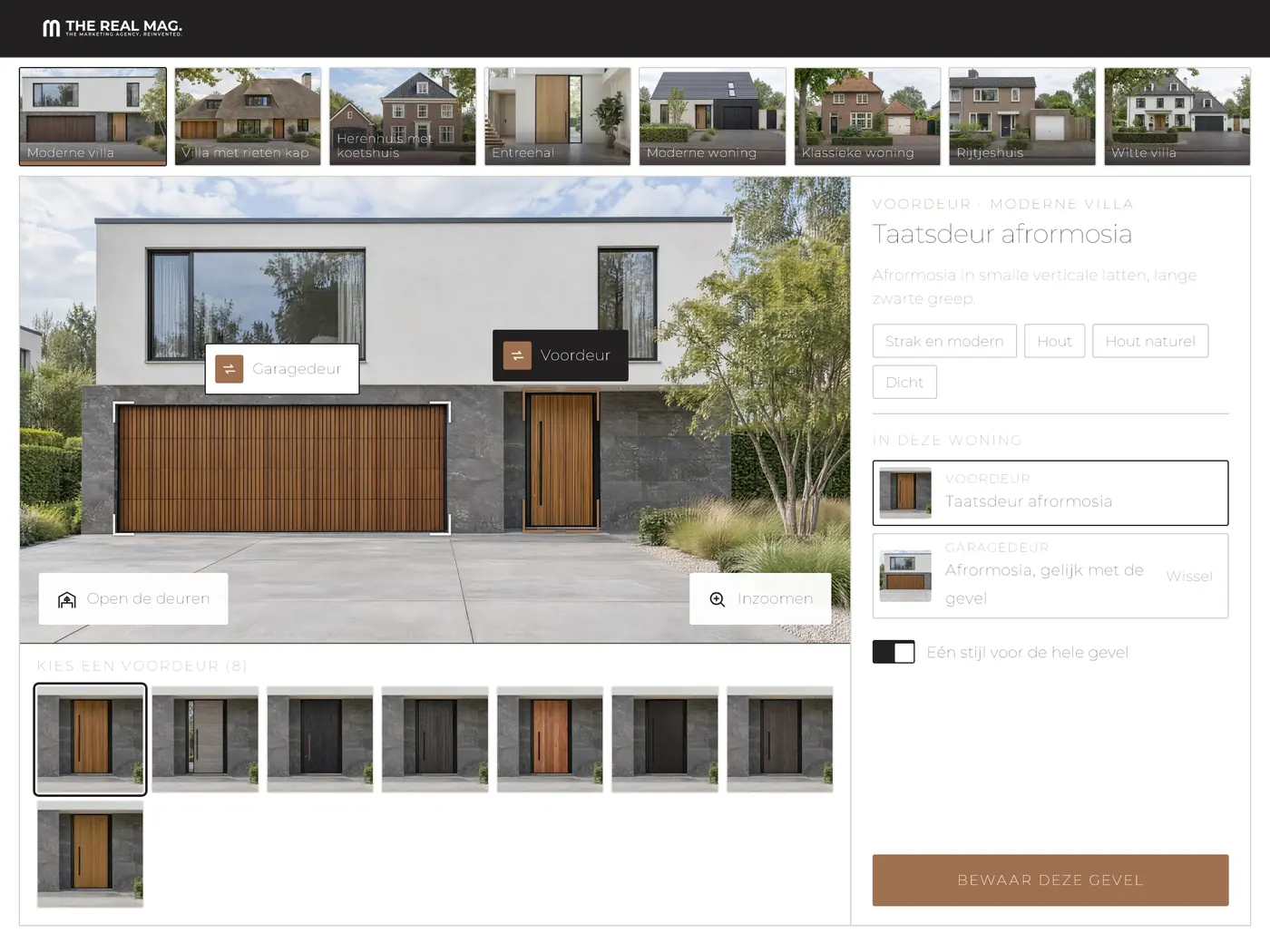
In the demo
One home. Only the door changes.
In this demo the home stays exactly the same and only the front door changes. That way your customer sees the difference between designs without the environment getting in the way.
What it is for
One product or a complete room.
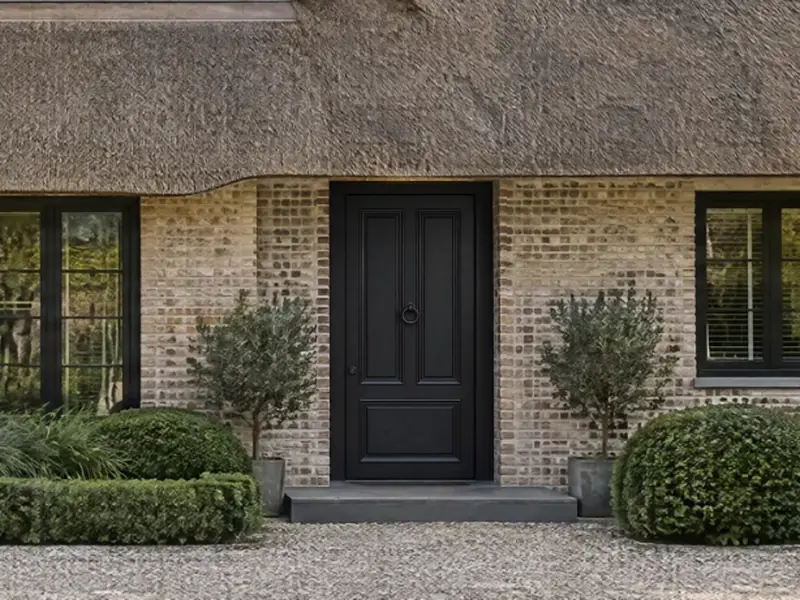
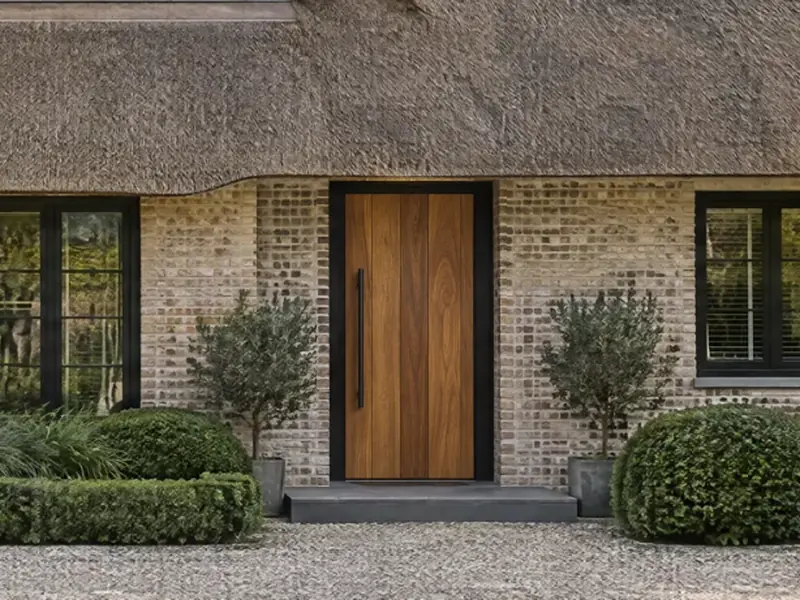
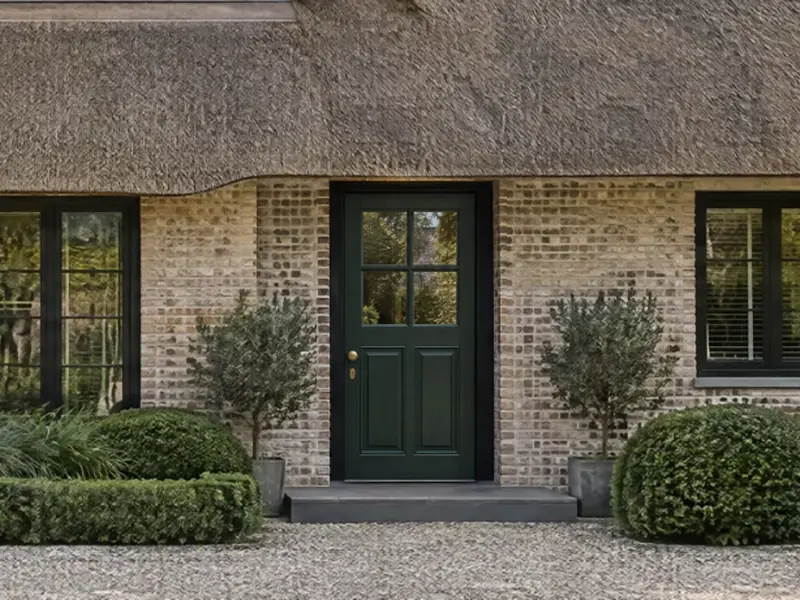
The home is an example. An inspirator works with a fixed set of realistic images, for a single product or for an entire room.
Single products
One product, or a few, in a fixed environment. Think of a door on a home (the demo), a floor in a living room or a lamp above a table. The environment stays the same, only the product changes.
Complete rooms
Think of a bathroom, kitchen or showroom as a whole. Your customer then browses a set of complete designs and filters by style, colour and material. The demo is about doors; complete rooms we work out per customer.
A fixed set, on purpose
Everything your customer sees, we create in advance. That keeps it realistic and more affordable than a live configurator, but your customer only chooses from what has been made in advance and does not set sizes or options. If your customer should build it themselves, a configurator is the right choice.
Features
What your customer can do.
Filtering
On properties such as style, colour and material, within one environment or across the whole set at once.
Colours
If a product comes in several colours, such as a RAL colour, your customer picks one from a selection and sees it straight away.
One style throughout
If the environment holds more than one product, such as a front door and a garage door, your customer chooses the same style for everything or a contrast instead.
Products in motion
Where it suits the product, the inspirator also shows it moving, such as a door that opens. In the demo the front doors and garage doors open in four of the eight homes.
Save favourites
Your customer saves the choices and emails them to you in a ready-made message, ready for the conversation.
Showroom view
A tablet view without the introduction. On a tablet held landscape, the image sits next to the choices. Meant for the adviser in the conversation.
Open the showroom view (in Dutch)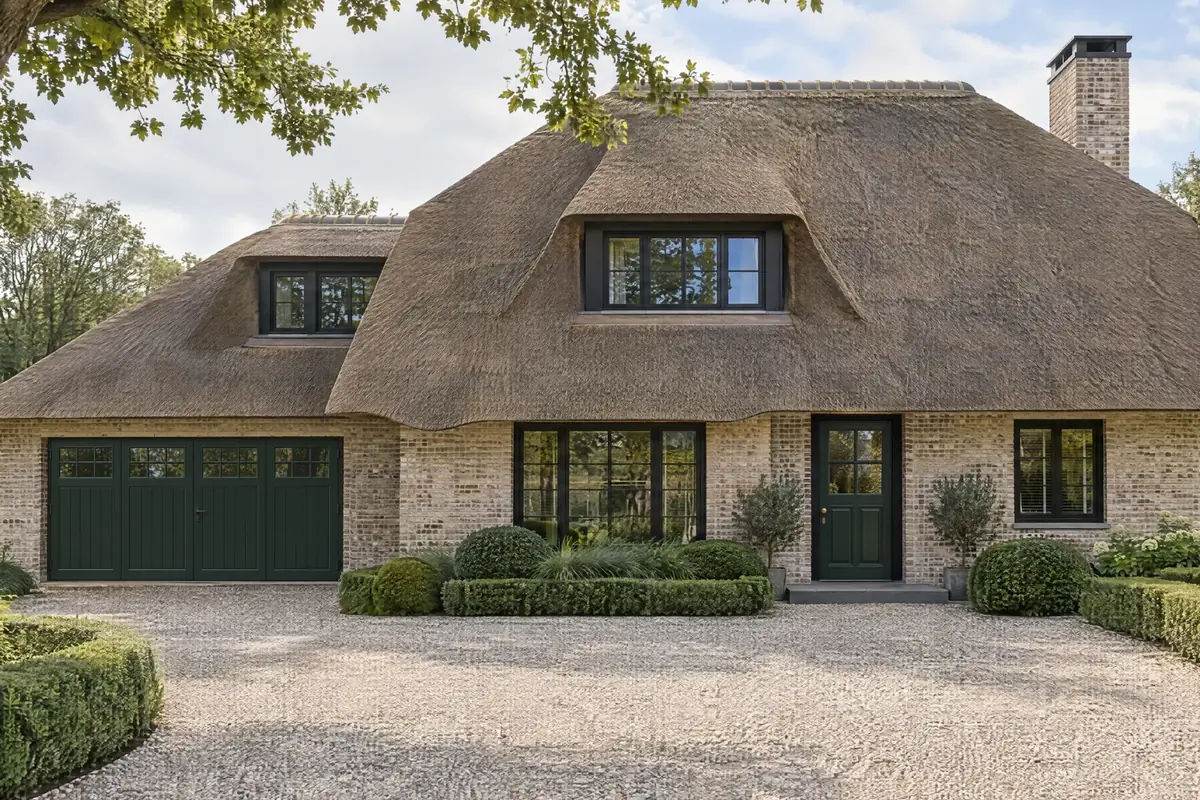
Inspirator or configurator
Browse, or build.
Not every customer knows up front what fits, and not every range needs millions of combinations. An inspirator shows a fixed set of realistic images, on a smaller budget than a live configurator. A configurator lets your customer build it and turns that choice into a product that fits and can be ordered. You can also use both: inspire first, then configure.
Inspirator
Browse, choose, save
For customers who are still exploring.
- Beautifully realistic, from a fixed set of images
- One product in an environment, or a complete room
- From €2,500, excluding VAT and the images needed
3D Configurator
Build it until it is right
For customers who want to build what they order themselves.
- Build it yourself: size, options and finish
- Only buildable combinations, ready for a quote or an order
- Every choice instantly in photo-real imagery
Does an inspirator fit your range, a configurator, or both? We are happy to talk it through.
Discuss your rangeApproach
From range to inspirator.
We build the inspirator. You supply your range, and together we decide what goes in.
Choose
Together we decide what goes in: one or more products in a fixed environment, or complete rooms such as bathrooms, and how many designs you want to show. You supply what you have.
Create the images
With AI we create the environments, and for each product or design a realistic image. We quote those images separately.
Build in your house style
The inspirator gets your logo, colours, typeface and texts.
Online and in the showroom
On your website and as a tablet view in your showroom. New products and environments can be added later.
FAQ
Frequently asked questions.
An inspirator is an online tool in which your customer views your products in realistic images: one or more products in a fixed environment, or complete rooms such as bathrooms. Your customer filters, chooses and saves favourites.
A configurator is for building: sizes, options and finish, with only buildable combinations, connected to your quote or ordering process if you want. Live, that can run to millions of combinations. An inspirator is for browsing: a fixed set that we prepare in advance, with filters and favourites, for a product or a complete room, beautifully realistic and more affordable. You can also use both: inspire first, then configure.
An inspirator starts at €2,500, excluding VAT and excluding the images needed. That puts it below the entry level of the 3D Configurator. Which and how many images are needed we decide together, based on what you want to include.
For products that show well in an environment, such as doors, window frames, floors, tiles, kitchens or furniture, and for complete rooms such as bathrooms. The demo shows front doors, garage doors and garden gates, spread across eight homes; other products and rooms we work out per customer. Whether it suits your range, we decide together.
We create everything your customer sees in advance, as an image. The number of images therefore sets the size: the demo has 170 designs in eight homes, a part of them in twelve RAL colours. If your customer should also be able to choose sizes and options themselves, or choose from far more than you want to show in advance, a live configurator is the better choice.
Yes. There is a showroom view for tablets, without the introduction. On a tablet held landscape, the image sits next to the choices. It is meant for the adviser in the conversation.
No. It is meant as a tool for the adviser, not as a replacement. The homes in the demo are fictional, the doors are example designs and all images are impressions. Your customer sees what is possible, and the adviser takes it from there with the situation of the customer.
Yes. Logo, colours, typeface and texts follow your brand.
Get to know us
See the inspirator for your products.
In a short demo we walk through your products and look at how they fit in an inspirator.
- ● Christian Wauben. Technical Innovation Director
- ● [email protected]
- ● +31 (0)45 572 1090
- ● Risseweg 22 F · 6004 RM Weert
Senior-level creativity, automated execution.
The Real Demo.
In a demo we walk through what is possible together. Afterwards you know what an inspirator means for your products.